How to Create an Event Type
An event type defines a named, fixed-duration meeting kind that guests can book.
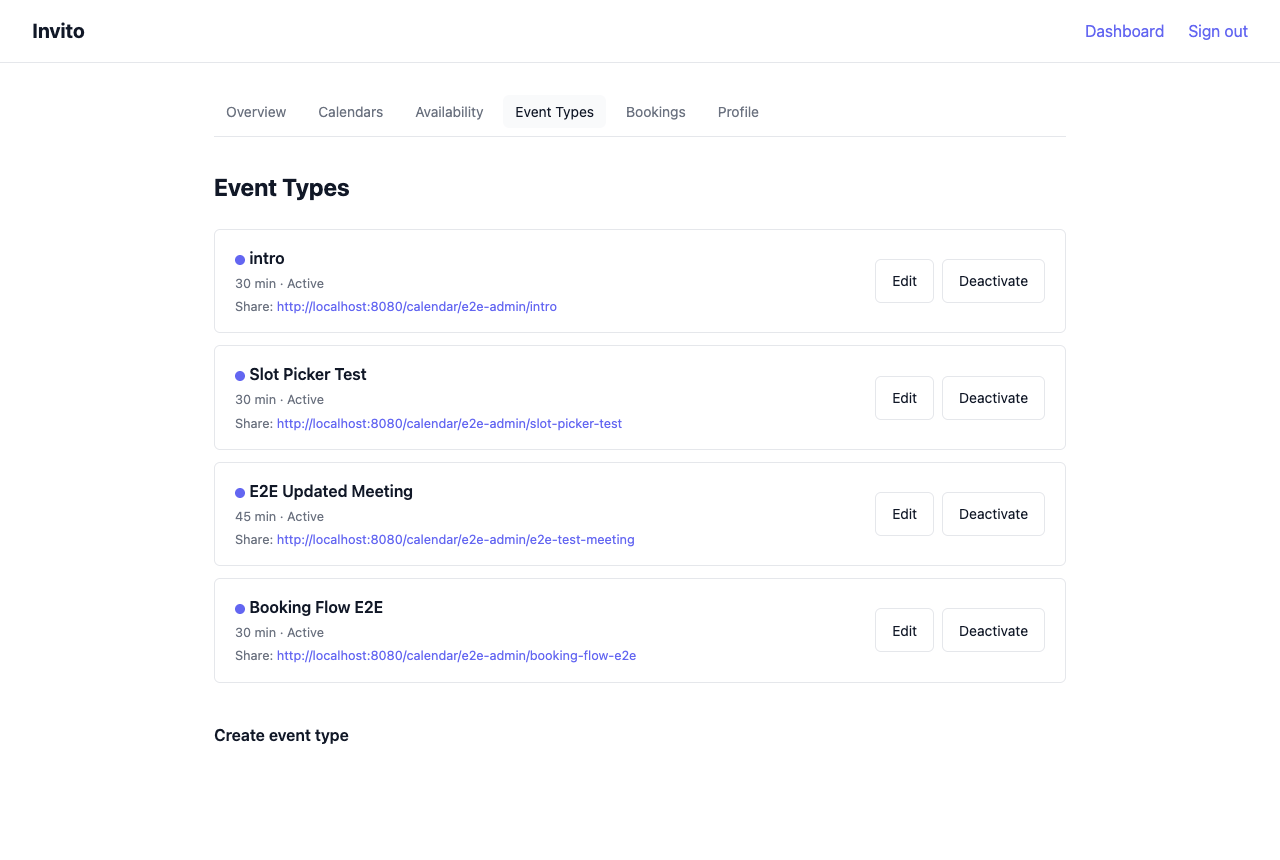 You can have multiple event types — for example, a short intro call and a longer working session.
Prerequisites
- You are logged in to your Invito dashboard.
- You have set your availability (Dashboard → Availability). Without availability rules, no slots are generated.
Steps
- Go to Dashboard → Event Types.
- Click New event type.
- Fill in the form:
| Field | Description | Example |
|---|---|---|
| Title | Displayed on the booking page | 30-min intro call |
| Slug | URL segment. Lowercase letters, numbers, hyphens only. | intro |
| Description | Optional. Shown to guests before they pick a slot. | A quick call to see if we're a good fit. |
| Duration | Fixed meeting length in minutes. | 30 |
| Color | Visual label in the dashboard. | #6366f1 |
| Booking window | How many days into the future guests can book. | 60 |
- Click Create.
Your event type is now live. The public URL is:
https://invito.example.com/{your-username}/{slug}
Editing an event type
- Go to Dashboard → Event Types.
- Click Edit next to the event type.
- Modify the fields and click Save.
The edit form includes two additional fields not available during creation:
| Field | Description |
|---|---|
| Confirmed message | Text included in the confirmation email sent to the guest when you confirm the booking. |
| Rejected message | Text included in the rejection email sent to the guest when you reject the booking. |
Note: Changing the slug changes the public URL. Any links you have already shared will stop working.
Disabling an event type
If you want to temporarily stop accepting bookings for a specific event type without deleting it:
- Go to Dashboard → Event Types.
- Click Disable next to the event type.
The event type is hidden from your public booking page. Existing bookings are not affected. Re-enable it at any time by clicking Enable.
Deleting an event type
Deleting an event type is permanent. All associated bookings (including history) are also deleted.
- Go to Dashboard → Event Types.
- Click Edit → Delete event type.
- Confirm.
If you want to keep the booking history, disable the event type instead.