How to Set Up Your Profile
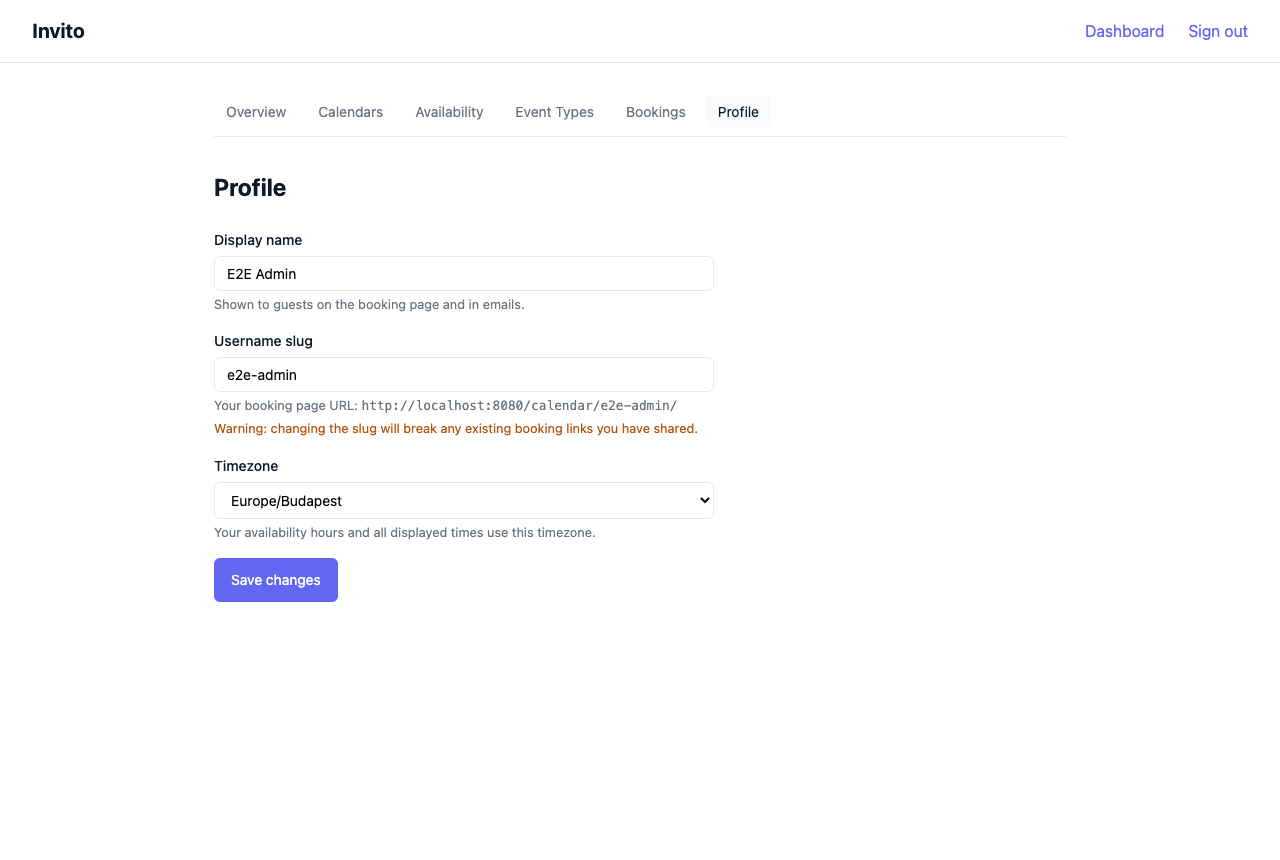
Your profile controls your display name, the username that appears in your public booking URLs, and the timezone used for slot calculation and display.
Prerequisites
- You are logged in to your Invito dashboard.
Steps
- Go to Dashboard → Profile.
- Update the fields as needed:
| Field | Description |
|---|---|
| Display name | Your name as shown on booking pages. Defaults to the name from your OIDC provider. |
| Username | The URL slug for your booking page. See notes below. |
| Timezone | Your local timezone (IANA format, e.g. Europe/Berlin). |
- Click Save.
Username
Your username is the path segment used in all your booking URLs:
https://invito.example.com/calendar/{username}/
https://invito.example.com/calendar/{username}/{slug}
Warning
Changing your username changes all your booking URLs. Any links you have already shared will stop working. Guests who try the old URL will see a 404 page.
Usernames are auto-generated from your OIDC preferred_username claim on first login and must be unique across all Invito users.
Timezone
The timezone affects:
- When slots are displayed on your booking page (guests see times in your timezone)
- How your availability rules are interpreted (the 09:00 start time in your rules means 09:00 in your configured timezone)
Choose the IANA timezone that matches your physical location. If you travel frequently, update this setting when you change regions.
Your public booking URL
After saving, your profile page shows your public booking URL. Share this link to let anyone browse all your active event types and book a time.