How to Embed a Booking Widget
Invito provides a widget version of the booking picker that can be embedded as an iframe on any external website — a personal site, a landing page, or an internal tool.
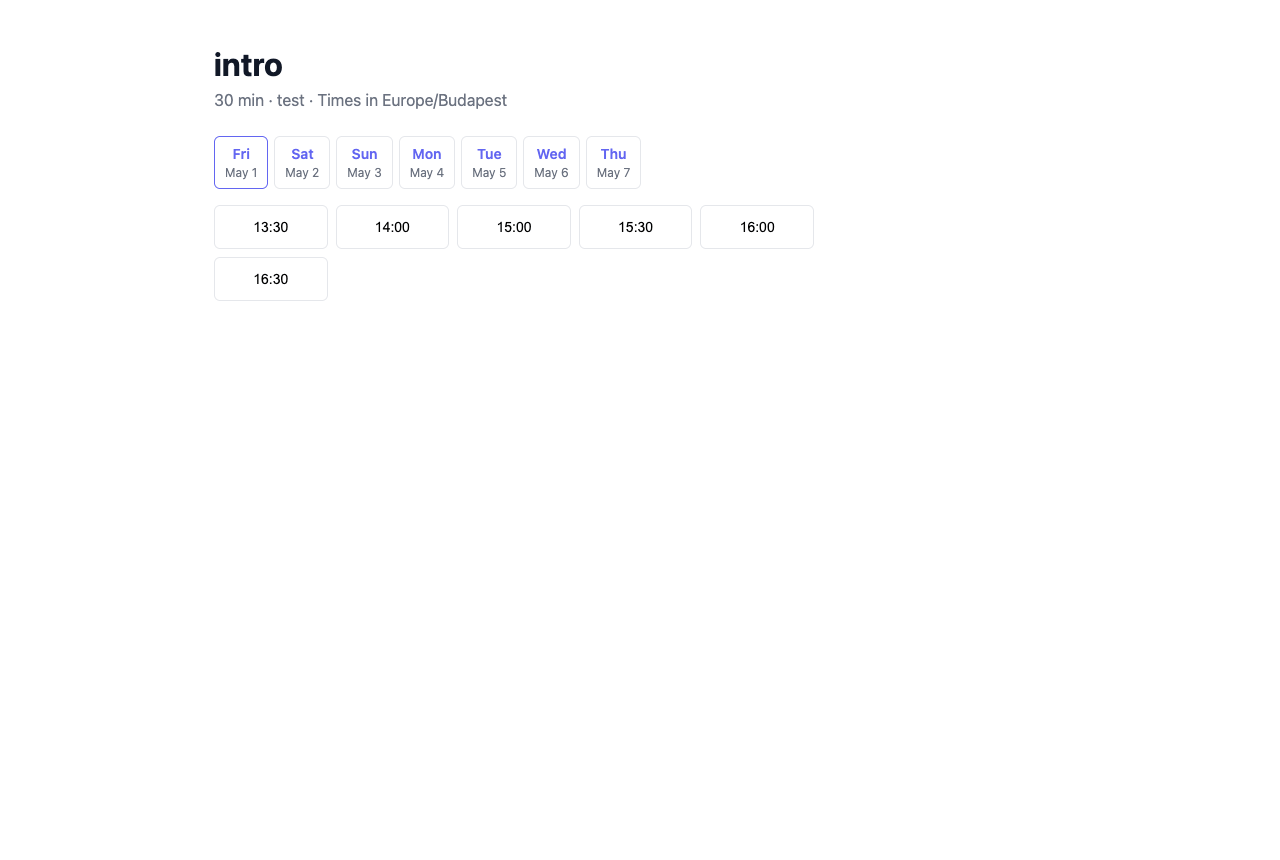
Widget URL
The widget URL for a specific event type is:
https://invito.example.com/widget/{username}/{slug}
Replace invito.example.com with your Invito base URL, {username} with your username, and {slug} with your event type slug.
You can find both your username and event type slugs under Dashboard → Event Types.
Embedding as an iframe
Add the following HTML to your page:
<iframe
  src="https://invito.example.com/widget/{username}/{slug}"
  width="100%"
  height="700"
  frameborder="0"
  style="border: none; border-radius: 8px;"
>
</iframe>
Adjust width and height to fit your page layout. A minimum height of 600px is recommended to show the date picker and slot list without scrolling.
How the widget differs from the standard booking page
| Standard booking page | Widget | |
|---|---|---|
| URL | /calendar/{username}/{slug} |
/widget/{username}/{slug} |
| Embeddable in iframe | No (X-Frame-Options: DENY) | Yes (X-Frame-Options: ALLOWALL) |
| CSRF protection | Yes | No (stateless; no cookies required) |
| Navigation chrome | Full page header/footer | Minimal layout |
The widget uses a separate HTTP multiplexer internally, which is why the security headers differ. The booking logic — slot calculation, conflict checking, email notifications — is identical to the standard flow.
Notes
- No separate event type needed: You use the same event types for both the widget and the standard booking page.
- Booking confirmation flow: After a guest submits a booking via the widget, they see a confirmation message inside the iframe. The host confirmation/rejection emails work the same as for standard bookings.
- Styling: The widget uses Invito's default styling. There is currently no theming API.