How to Share a Booking Link
Invito provides two types of booking links. Choose the one that fits your use case.
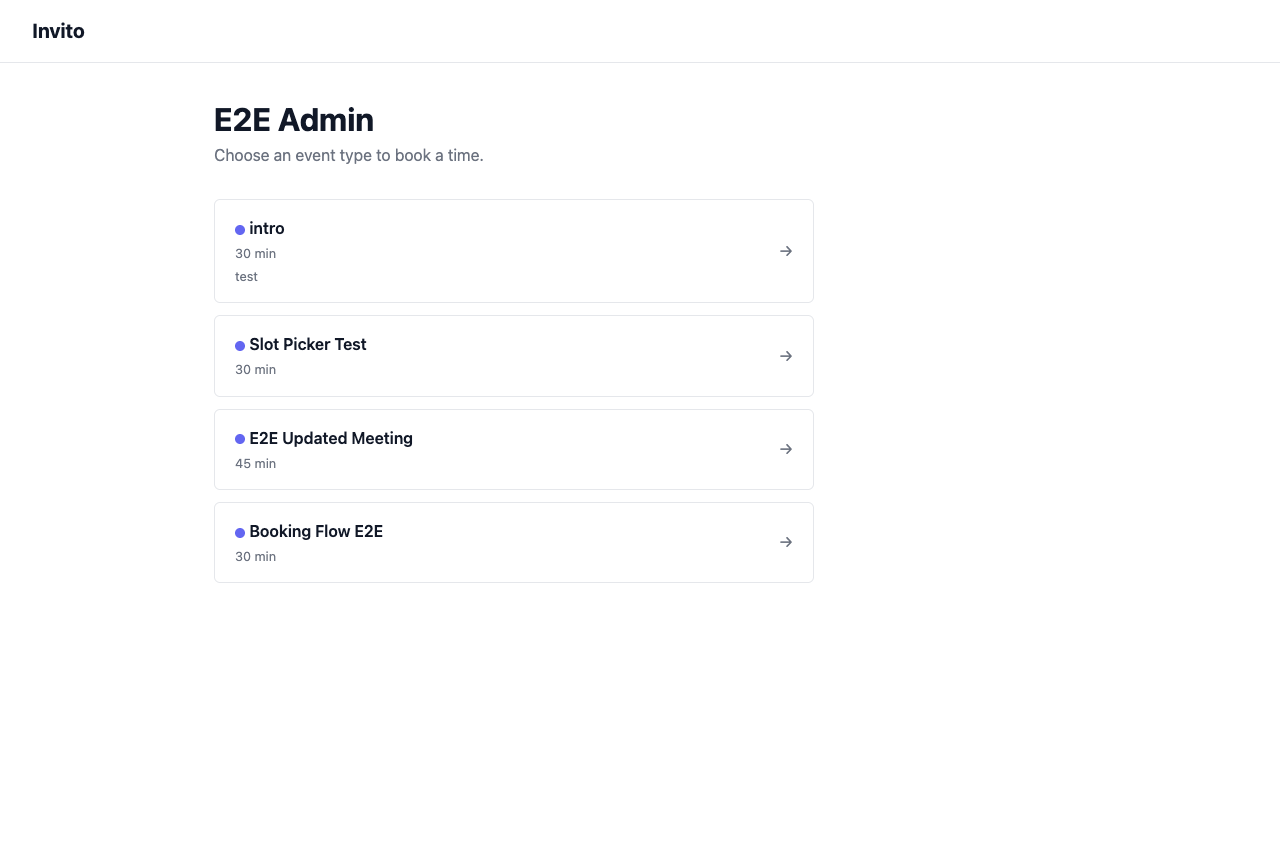
Link types
Generic link (guest chooses the event type)
https://invito.example.com/calendar/{username}/
The guest lands on a page that lists all your active event types and picks one. Use this when you want to give someone access to all your meeting types — for example, in an email signature or on your website.
Pre-filled link (event type is fixed)
https://invito.example.com/calendar/{username}/{slug}
The guest goes directly to the slot picker for a specific event type. Use this when you know what kind of meeting you want — for example, "book a 30-min intro call with me" in a proposal or outreach email.
Finding your links
- Go to Dashboard → Event Types.
- Each event type shows its direct booking URL with a Copy link button.
- Your generic link is shown at the top of the page.
Sharing tips
- Email: Paste the link as plain text or as a hyperlink ("Pick a time →").
- Website: Add a "Book a call" button linking to your generic or specific booking URL.
- Calendar invite placeholder: Send a calendar invite with your booking link in the description so the other party can pick a time to replace the placeholder.
What the guest experiences
- The guest opens the link.
- They see a date navigation and click through to a day with available slots.
- They pick a time slot, fill in their name and email, and optionally add a note.
- They see a confirmation page: "Your request has been sent."
- You receive a notification email. You confirm or reject the booking.
- The guest receives a confirmation (or rejection) email.
Guests do not need an Invito account.